
When choosing a copier, many businesses focus on features or price. But the real factor that decides whether a machine is the right fit is print volume. Understanding how many pages you need to print each month helps you choose a refurbished copier that matches your workload, lowers costs, and lasts longer. In this guide, we’ll break down everything you need to know about print volume and how it shapes the right buying decision.
The short answer is this: to choose a refurbished copier based on print volume, you must measure your monthly needs and match them with the copier’s duty cycle, pages per minute, and paper handling features.
Why Print Volume Should Guide Every Copier Decision
Every business prints differently. Some offices only print a few contracts each week, while others print hundreds of reports daily. This difference is called print volume, and it’s the first factor you should think about before buying any copier machine.
If you ignore volume and pick a copier that can’t handle your needs, the result is frequent breakdowns, wasted toner, and higher maintenance bills. On the other hand, if you buy a machine that’s too powerful for your actual workload, you’re wasting money on features you’ll never use.
Choosing based on print volume ensures balance—your copier matches your workflow without straining your budget.
Understanding Print Volume Categories: Low, Medium, and High Output
Print volume is usually divided into three categories:
- Low-volume printing: Under 2,000 pages per month. Perfect for small businesses or home offices.
- Medium-volume printing: 2,000–10,000 pages per month. Common in growing offices and schools.
- High-volume printing: Over 10,000 pages per month. Needed for large companies or industries with heavy document demands.
Manufacturers measure this using the copier’s duty cycle, which is the maximum number of pages the machine is designed to print each month. When looking at refurbished copiers, check the duty cycle and compare it with your business’s real printing habits.
How Print Volume Impacts Copier Longevity and Durability
A copier is like a car—the more you use it, the faster parts wear out. Durability is closely tied to how well a copier matches your print volume.
If you run high volumes on a machine designed for light use, parts like rollers and document feeders wear down faster. The result is more downtime and higher operating costs. But when you pick a copier that’s designed for your workload, you can extend its life by years.
Refurbished models that are built for higher duty cycles—like Canon, Xerox, or Ricoh—can still deliver dependable performance if maintained correctly.

Calculating Your Business Printing Needs Accurately
Many companies underestimate how much they print. To avoid mistakes, do this:
- Check supply usage: Review how many reams of paper you order monthly.
- Count devices: Add up the print jobs from printers, copiers, and multifunction machines.
- Track one month: Many digital copiers can report your monthly print totals directly.
For example, if your office uses 10 reams of paper (5,000 pages) a month, you’ll want a copier with a duty cycle of at least 8,000 pages to give extra capacity.
This helps you avoid pushing the machine to its limits and ensures smoother business printing needs.
The Role of Paper Handling and Tray Capacity in Volume Management
High print volume isn’t just about speed—it’s also about paper handling. Copiers that support large tray capacity save time by reducing how often you reload paper.
For small teams, a 250-sheet tray may be enough. But for larger offices, look for 1,000+ sheet trays and automatic document feeders. These features improve office productivity by allowing bulk print jobs to run without constant oversight.
If your office prints a lot of contracts or booklets, duplex printing (double-sided printing) also saves paper and keeps costs down.
Matching Print Volume with Copier Machine Features
Not all features matter equally. Here’s how to align them with your print volume:
- Low-volume offices: Look for an inexpensive copier with basic print and scan functions.
- Medium-volume offices: Add features like wireless connectivity, duplex printing, and multifunction printer benefits.
- High-volume offices: Focus on speed (pages per minute), durability, and advanced network connectivity.
This prevents overspending on advanced features that smaller businesses may never use, while ensuring high-volume companies don’t get stuck with slow machines.
Cost Efficiency: Balancing Toner, Maintenance, and Operating Costs
Print volume also drives your operating costs. Toner, paper, and maintenance contracts all add up. Choosing a copier that matches your output can lower long-term expenses.
For example:
- A copier that prints at 20 PPM might cost less upfront, but the toner efficiency may not support heavy workloads.
- A high-speed copier may have a larger initial purchase cost, but a lower cost-per-page in the long run.
Always consider cash flow. Sometimes a slightly higher upfront cost leads to lower operating expenses over the years of use.
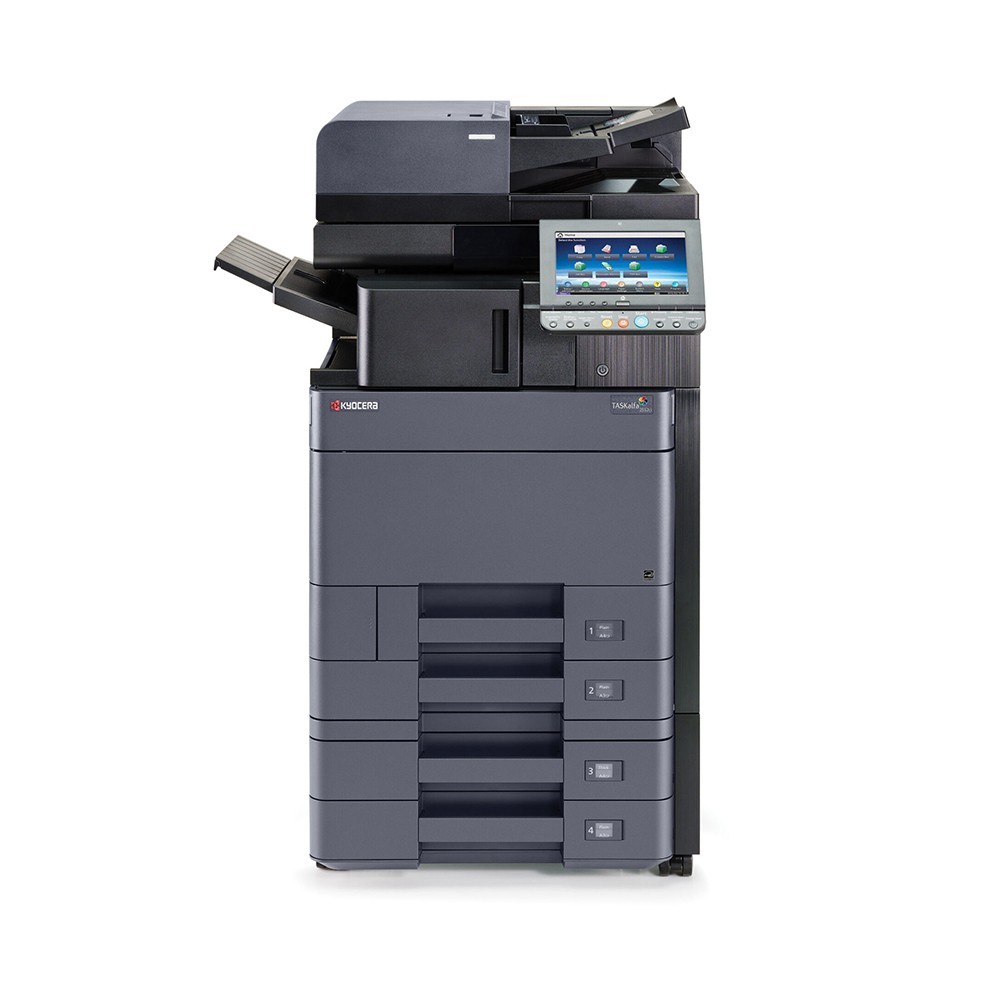
Comparing Refurbished Copiers Across Brands for Volume Performance
Different brands handle print volume differently:
- Canon: Known for durability and excellent image quality. The ImageRunner Advance series is strong for medium to high volumes.
- Xerox: Offers great multifunction features and security, good for large businesses.
- Ricoh: Flexible options, strong maintenance support.
- Konica Minolta: Good for color-heavy print jobs, reliable for mid-volume workloads.
- Brother: Budget-friendly, works well for small offices with low to mid printing needs.
Choosing among these depends on whether your business needs high-end versions or cost-effective solutions.
Small Teams vs Large Offices: Choosing the Right Copier by Team Size
A small business printing 2,000 pages monthly doesn’t need the same machine as a corporate office printing 50,000 pages. Here’s the difference:
- Small businesses: Inexpensive copiers or compact all-in-one printers.
- Medium offices: Refurbished printers with strong PPM and network support.
- Large offices: Heavy-duty office copiers with extended warranties and high tray capacity.
In USA, many buyers choose refurbished models with service agreements to balance reliability and exceptional service.
Smart Buying Tips: How to Choose a Refurbished Copier That Won’t Fail Under Pressure
Here’s a quick checklist before you buy:
- Match your print volume to the copier’s duty cycle.
- Check warranty length and whether extended warranties are available.
- Ask about maintenance and support services.
- Compare toner efficiency and total cost of ownership.
- Choose reputable sellers like Refurbished Copiers to ensure the refurbishment process is done right.
When you choose based on volume, your copier won’t just meet today’s needs—it will last for years, supporting your business printing needs without constant breakdowns.
If you’re ready to find a machine that matches your office perfectly, explore the options at Refurbished Copiers. Our team can guide you toward the right model for your print volume, budget, and long-term business goals.